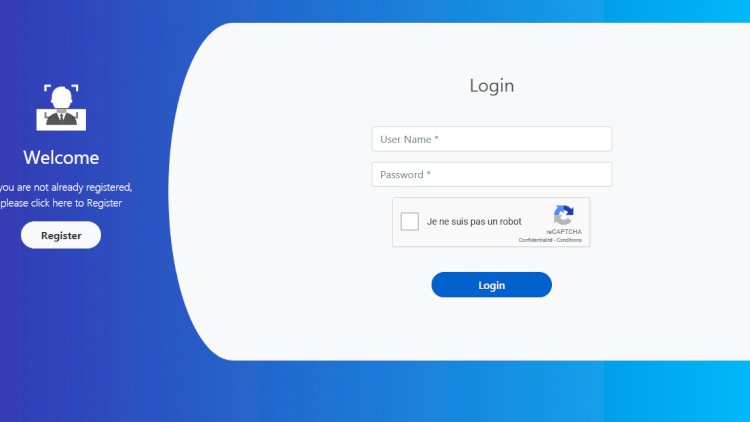
Graphical password authentication is an alternative to typed text passwords: instead of remembering a string of characters, the user authenticates with images or visual patterns. This project — originally a final-year computer-science build — pairs that idea with two-factor authentication by SMS.
What it covers
- User registration and login
- A graphical (image-based) authentication step
- Two-factor authentication: an SMS code sent to the user’s phone
- User administration (view, change, update)
Why graphical passwords are interesting
Humans recall images more reliably than random character strings, and image-based secrets resist some keylogging and shoulder-surfing attacks. Building one forces you to think carefully about how the secret is stored and verified without ever keeping it in plain text.
Adding two-factor by SMS
After the first factor, the system sends a one-time code to the registered phone number, which the user enters to finish logging in. Implementing that flow — generate code, send via an SMS gateway, verify within a time window — is a practical, widely used security pattern.
Technology stack
PHP with Bootstrap for the interface and an SMS gateway for the second factor. Secrets are hashed, never stored in plain text.
What you’ll learn
Alternative authentication models, secure secret storage, and implementing SMS-based two-factor authentication.
Frequently asked questions
Is graphical authentication more secure than text passwords?
It defends against some attacks (keylogging, shoulder-surfing) but has its own trade-offs; pairing it with 2FA is what makes it strong.
How is the SMS code kept secure?
Generate it server-side, store only a hash with an expiry, and reject it after one use or after the window passes.
A note on using this project
Use this PHP project as a learning reference: read the code, run it locally, and adapt it to your own requirements rather than deploying it unchanged. If you reuse third-party components, check their licences first.