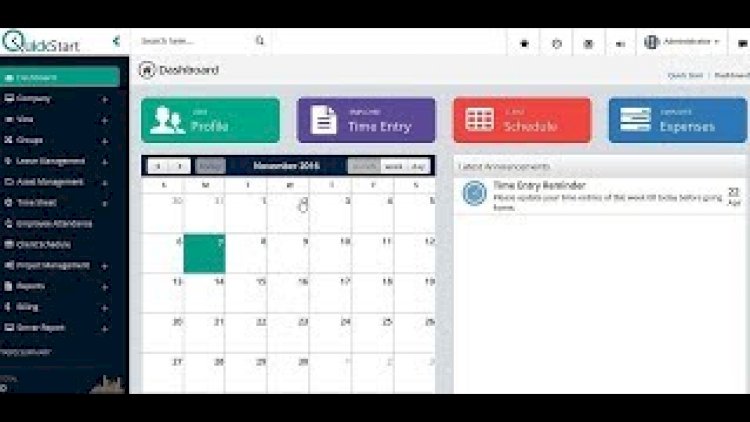
An attendance monitoring system records when employees clock in and out, then turns that raw data into reports managers can act on. It replaces paper sign-in sheets with a web app that timestamps each entry, ties it to a specific person, and can flag lateness automatically.
Admin features
- Dashboard with login counts and live status
- View each employee’s time-in / time-out history
- Add and edit employee records
- Export attendance to PDF or Excel
Employee features
- Personal time-in / time-out
- Daily attendance history
- Basic device/IP trace for accountability
How the time logic works
The heart of the project is a small set of rules: one open session per person at a time, a time-in that can’t be duplicated, and a time-out that closes the matching session and calculates hours worked. Add a shift start time and you can automatically label entries as present, late or absent.
Technology stack
This is typically built with PHP and MySQLi, a Bootstrap 4 front end and a little jQuery, running on XAMPP locally. The schema can be as small as two tables — employees and attendance_log.
What you’ll learn
Working with dates and times in PHP/MySQL, preventing duplicate or out-of-order entries, generating exportable reports, and turning timestamps into meaningful metrics like hours worked and lateness.
Frequently asked questions
How would I add biometric or fingerprint capture?
Keep the web app as the record store and let a hardware reader post verified IDs to an endpoint — separating capture from storage keeps the project manageable.
Can employees clock in from home?
Yes, but add IP or geolocation checks if you need to confirm they were on-site.
A note on using this project
This guide is written to help students and developers understand how a PHP/MySQLi application like this is designed and built. Treat any sample code as a learning reference: read it, run it locally, and adapt it to your own requirements rather than shipping it unchanged. If you reuse third-party components, check their licences first.
Related projects and guides
Working on this project? These related write-ups on the site are worth a look:
- Employee Daily Task Management System in PHP and SQLite with Source Code
- Bio-metric (Finger Print) Based Attendance system
- Capstone Project Ideas with Source Code (2026) — more PHP, Laravel and MySQL project ideas.