Most of us have hit the same wall with Claude: you explain the exact steps for some repeatable job — format a doc this way, follow that coding convention, build the report in this shape — and then next session you explain it all over again. Agent Skills fix that. You write the steps down once, and Claude pulls them in when the task shows up. Anthropic publishes a public repo full of working examples you can read, fork, and run, and that’s what this guide walks through: what skills are, what’s actually in the repo, how the licensing splits, and the three ways to install them.
It’s aimed at developers who want to use this, not just hear that it exists.
What is a Claude skill?
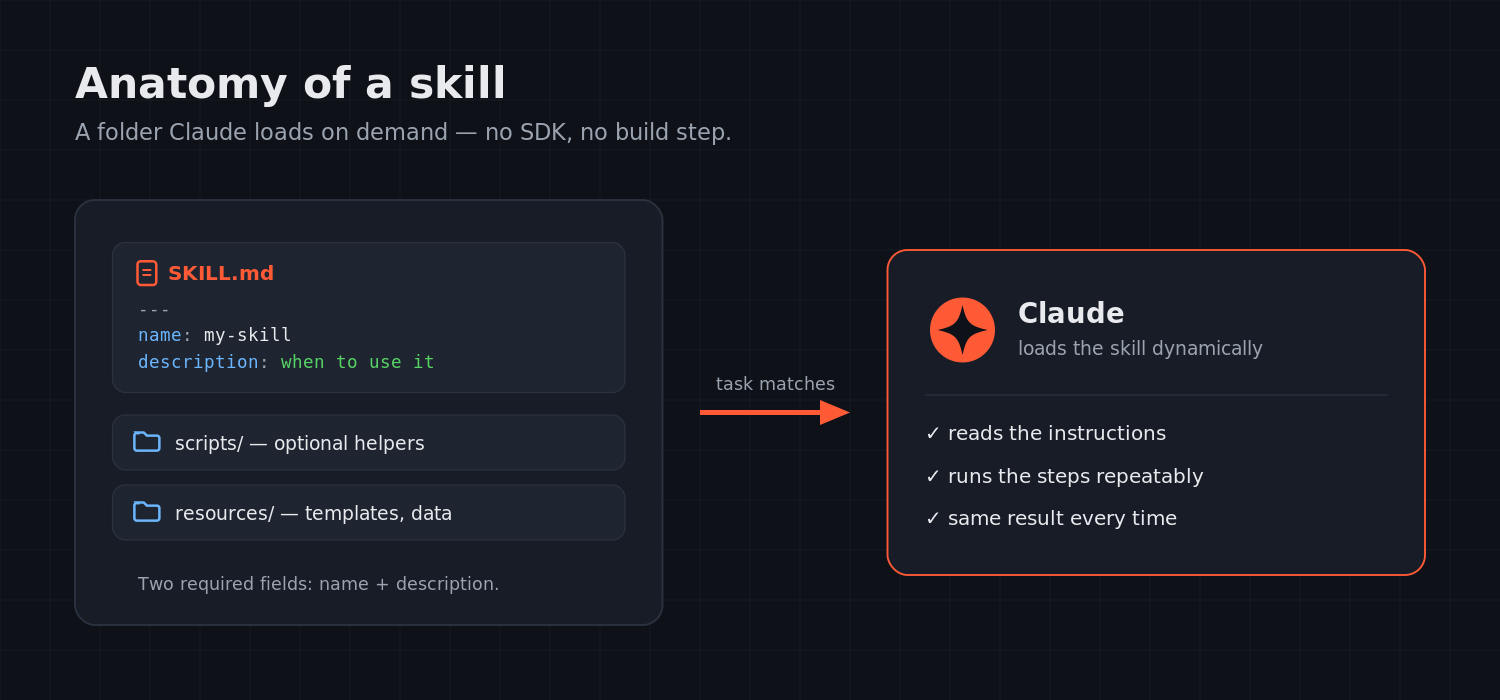
A skill is a folder. Inside it sits a SKILL.md file — Markdown with a short block of YAML frontmatter on top — plus any scripts or resources the task happens to need. When a job matches, Claude loads the skill and follows the instructions in that file.
The frontmatter needs only two fields:
---
name: my-skill-name
description: A clear description of what this skill does and when to use it
---
Below the frontmatter you write the actual instructions, examples, and guidelines. The description does double duty — it’s also how Claude decides when to reach for the skill, so a vague one means the skill won’t fire when you want it to. There’s no SDK here, no build step, no runtime to learn. If you can write a README, you can write a skill.
What’s in the anthropics/skills repository
The official repo lives at github.com/anthropics/skills, and it’s framed as a reference library rather than a product — examples that show the patterns and what’s achievable. It’s caught on fast; at the time of writing it’s sitting around 145k stars and 17k forks.
Three top-level folders matter. skills/ holds the examples themselves, loosely grouped into creative and design work (art, music, design), development and technical tasks (testing web apps, generating MCP servers), and enterprise and communication workflows (internal comms, branding). spec/ is the formal Agent Skills specification if you want the exact definition. template/ is a starter you copy to begin your own.
One detail is more useful than it first looks. The four document skills — docx, pdf, pptx, xlsx — are the same ones behind Claude’s real file-creation features. They’re bigger and messier than the toy examples because they’re production code, which makes them the better study if you want to see how a serious skill is put together rather than a minimal one.
Worth keeping in mind, straight from the repo: these are demonstration and educational examples. What Claude does in practice can differ from the sample implementations, so test before you lean on anything.
Licensing: read this before you reuse anything
Here’s the part people skip and shouldn’t. The repo doesn’t ship under one blanket license.
Most of the example skills are Apache-2.0 — real open source. Reuse, modify, redistribute, as long as you follow the terms and keep the license and notices.
The four document skills are a different story. They’re source-available, not open source. Anthropic shares them so developers can study a production-grade skill, but they don’t carry an open-source license, so don’t assume you can rebundle or redistribute them the way you can the Apache-2.0 examples.
The rule that saves you trouble: check the license on the specific folder you’re borrowing from, not the repo as a whole. If you’re shipping or selling something, the gap between “Apache-2.0” and “source-available” is exactly the kind of thing that bites later.
Beyond the official repo: community collections
Anthropic’s repo is the canonical starting point, but an ecosystem has grown around the format. Two are worth a look.
meetrais/claude-agent-skills is a community collection of skill examples — handy for seeing how people outside Anthropic structure things. Confirm the license before you reuse any of it.
Partner skills are vetted third-party sets that Anthropic highlights in its README, like Notion’s official Skills for Claude. They’re a decent signal of how software vendors are starting to package their own workflows as skills.
A blunt caveat on anything community-sourced: check that the repo actually has a LICENSE file. No license means all-rights-reserved by default, no matter how open it looks — link to it freely, but don’t rehost its code.
How to install and use skills
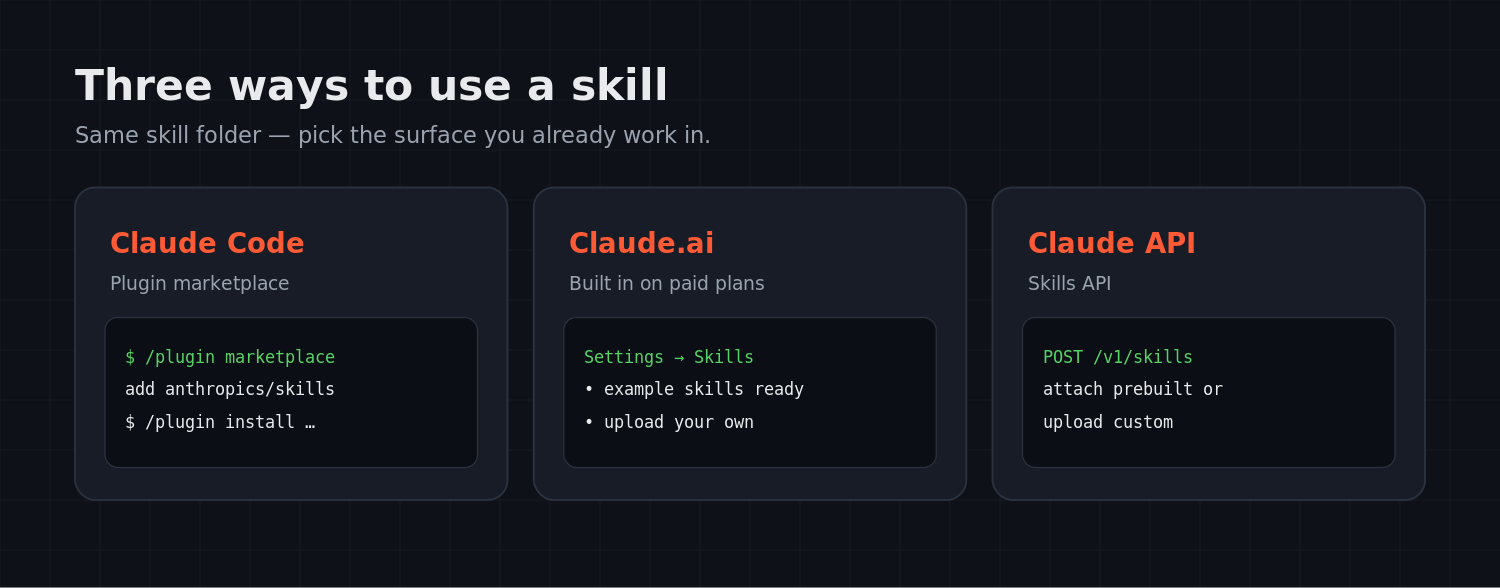
There are three places to use these. Pick whichever matches how you already work.
Claude Code
Register the repo as a plugin marketplace:
/plugin marketplace add anthropics/skillsThen install the set you want:
/plugin install document-skills@anthropic-agent-skills
/plugin install example-skills@anthropic-agent-skills
After that, you invoke a skill just by naming it — for example, “Use the PDF skill to extract the form fields from path/to/file.pdf.”
Claude.ai
On paid plans the example skills are already there. You can also upload your own from settings. Anthropic’s “Using skills in Claude” support article has the current click-path if the menu has moved.
Claude API
You can attach Anthropic’s pre-built skills or upload custom ones over the API. The Skills API Quickstart in Anthropic’s docs covers creating and registering one programmatically.
Conclusion
The pitch for skills is simple: stop re-explaining the same task and teach it once. Start in the anthropics/skills repo — read a couple of examples, copy the template, write a SKILL.md for something you do all the time. Just watch the licensing line between the Apache-2.0 examples and the source-available document skills before any of it goes into a product.
Related AI guides
Keep exploring AI for developers:
- AI Project Ideas for Final-Year Students (2026)
- The Benefits of Using ChatGPT in Programming
- Voice Assistant System