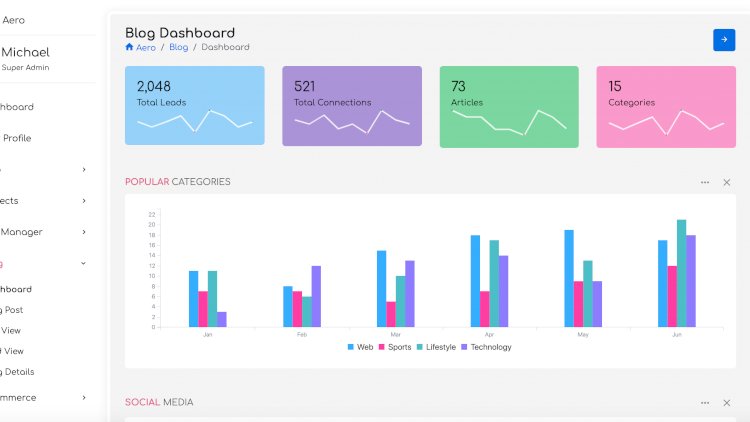
An admin dashboard template is a ready-made, responsive front-end shell — navigation, cards, tables, forms and charts — that you drop your application’s features into. Starting from a clean template saves days of UI work and gives small projects a professional look immediately. For more ready-to-use dashboards, browse our other admin templates & tools.
What’s included
A well-built CodeIgniter admin template gives you a complete UI layer, so you spend your time on features and data instead of styling. You can expect:
- A responsive Bootstrap layout that works on desktop and mobile
- Light and dark colour schemes with accent options
- Reusable components: tables, forms, cards and charts
- A SASS/SCSS workflow for fast, variable-based theming
- Valid, standards-compliant HTML that’s kind to SEO and page speed
- A file layout that’s easy to wire into a CodeIgniter back end (views, partials and assets)
Why build on a template
The interface is the part of an app users judge first, yet it’s repetitive to build. A template lets you focus your energy on features and data while inheriting a consistent, accessible design. Pairing it with a framework like CodeIgniter gives you a clean front end and a structured back end together.
How to set it up with CodeIgniter
The template is plain front-end code, so dropping it into a CodeIgniter project takes only a few steps:
- Install CodeIgniter and confirm it runs on your local stack (XAMPP, LAMP, or the built-in PHP server).
- Copy the template’s CSS, JS, font and image folders into your project’s assets directory (for example
public/assets). - Split the HTML layout into reusable views — a header, sidebar and footer you load on every page with
$this->load->view(). - Reference assets through
base_url('assets/...')so paths resolve correctly from any controller. - If the template ships with SCSS, install the build tools (
npm install), run the build (npm run build), and edit the variable files to set your colours and fonts. - Connect your controllers and models so real data feeds the tables, cards and charts.
How to customise it
Because the styles are written in SCSS, theming is mostly editing variables — colours, spacing, fonts — and recompiling. That’s far faster and more maintainable than hand-editing compiled CSS.
What you’ll learn
Working with a SASS/SCSS build, structuring reusable UI components, responsive design, and integrating a front-end template with a PHP back end.
Related projects & guides
- More admin templates & tools
- Browse all PHP & source-code projects
- Capstone & final-year project ideas and guides
Frequently asked questions
Can I use it for any project type?
Yes — dashboards, CRMs, CMSes, blogs and business sites all share the same building blocks a good template provides.
Why SCSS instead of plain CSS?
Variables, nesting and partials make large stylesheets far easier to theme and maintain.
Does it depend on CodeIgniter?
No — the front end is standard Bootstrap and HTML, so you can pair it with CodeIgniter, plain PHP, Laravel or any back end. CodeIgniter simply keeps the structure clean for student and capstone projects.
Is this CodeIgniter admin template free to download?
Yes — the template is free to download and use as the front-end shell for your CodeIgniter dashboards, with the Bootstrap and SCSS source included so you can restyle it to match your brand.
A note on using this project
This guide is written to help students and developers understand how a CodeIgniter/Bootstrap application like this is designed and built. Treat any sample code as a learning reference: read it, run it locally, and adapt it to your own requirements rather than shipping it unchanged. If you reuse third-party components, check their licences first.