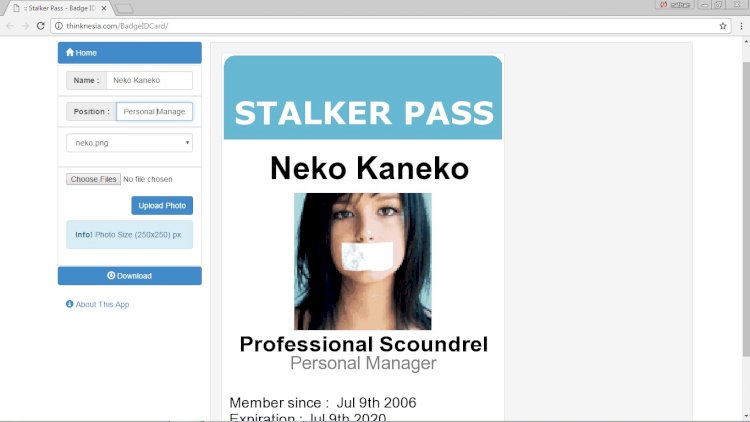
A staff ID-card system lets an organisation register employees and generate printable, standard-size identity cards complete with a photo and a scannable barcode. It’s a compact project with a satisfying, tangible output — a real card you can print.
What it does
- Add the organisation logo to every card
- Register staff one at a time, or in bulk via CSV import
- Edit and delete staff records
- Print a single card or many at once
- Produce a standard badge size (about 506 × 750 px)
- Upload a staff photo (JPG, PNG or GIF)
- Generate a downloadable card image (PNG)
The interesting bit: barcodes
Each card carries a barcode encoding the employee’s ID, so the same card can later feed a biometric or barcode attendance scanner. Generating that barcode server-side — and laying out the card to exact print dimensions — is where most of the learning happens.
Technology stack
PHP handles the image composition (drawing the photo, text and barcode onto a card template), with MySQL for staff records. It runs equally well on localhost or shared hosting.
What you’ll learn
Server-side image generation, CSV import and validation, barcode encoding, and precise print layout — skills that transfer to any document- or report-generation feature.
Frequently asked questions
What size should the card be?
A standard ID badge is about 2 5/16″ × 3 1/2″ (roughly 506 × 750 px at print resolution).
How do I import many staff at once?
Accept a CSV with one row per employee, validate each row, and insert valid records while reporting any that fail.
A note on using this project
This guide is written to help students and developers understand how a PHP/MySQL application like this is designed and built. Treat any sample code as a learning reference: read it, run it locally, and adapt it to your own requirements rather than shipping it unchanged. If you reuse third-party components, check their licences first.