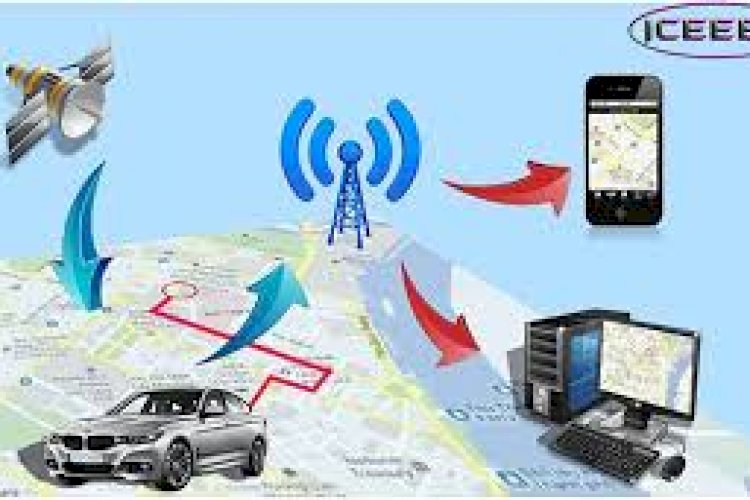
A vehicle tracking system uses GPS to monitor where vehicles are, alert owners to suspicious activity, and capture data on fuel, maintenance and driver behaviour. Beyond theft prevention, it’s really a fleet-management tool — and a great project for learning how location data flows from a device to a dashboard.
What it does
- Live GPS location and route history
- Theft alerts and suspicious-activity notifications
- Fuel and maintenance tracking
- Driver and vehicle performance monitoring
- Over-speeding and fault alerts
Why businesses use it
- Security: a stolen vehicle can be located and recovered faster.
- Lower costs: better routing and monitoring cut fuel and maintenance spend.
- Safety: over-speeding and fault alerts protect drivers.
- Productivity: owners can see how many trips each vehicle makes.
How the data flows
A GPS module in the vehicle periodically sends its coordinates to a server; the server stores each point and the dashboard plots them on a map, raising alerts when a rule is broken (movement at odd hours, leaving a geofence, over-speeding). Understanding that device → server → dashboard pipeline is the core lesson.
Technology stack
A web back end (PHP/MySQL or similar) ingests location pings; a mapping library renders the dashboard; the in-vehicle hardware provides the GPS feed. Geofencing and speed rules live in the server logic.
What you’ll learn
Handling streaming location data, geofencing, alert rules, and visualising routes on a map.
Frequently asked questions
Do I need real hardware to learn from this?
No — you can simulate GPS pings with sample coordinate data to build and test the server and dashboard.
What is geofencing?
Defining a virtual boundary so the system alerts you when a vehicle enters or leaves a designated area.