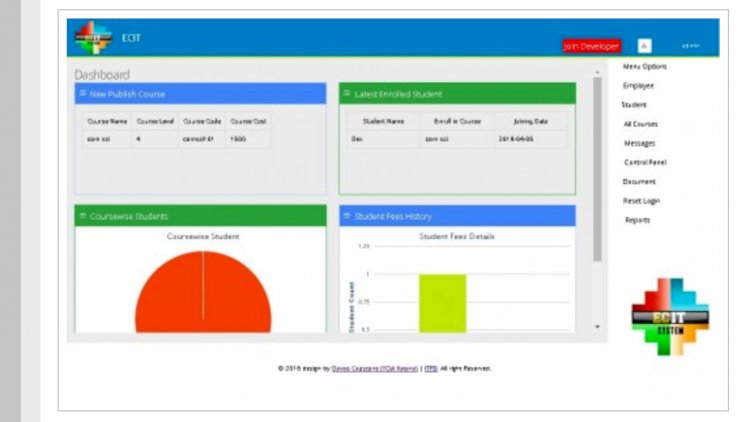
This Web-Based School Management System is a free project built on the Yii PHP framework that brings admissions, administration and finance into one analytics-driven dashboard.
It aims to unify every part of a school campus — across admission, administration and finance departments — into a single dashboard, with performance tracking and role-based responsibilities for staff. Studying a real Yii application is a strong way to learn a framework that many job listings still ask for.
What is this Yii School Management System?
The system is a campus-wide platform where everyone connected to the institution works from one dashboard. It organises modules across departments (admission, administration and finance), tracks performance by department, and assigns responsibilities through role-based access. Because it is built on Yii, it also serves as a practical study of how a real framework application is structured — how its conventions differ from Laravel or CodeIgniter.
Key Features
- A unified dashboard for everyone connected to the institution
- Modules across departments — admission, administration and finance
- Performance tracking by department for timely decisions
- Role-based responsibilities and access for staff
Technologies Used
The application is built on the Yii PHP framework with a MySQL database, organised around role-based access for different campus departments. Yii is a high-performance PHP framework with strong code generation (Gii) and built-in security features, and it runs on a standard Apache + MySQL stack.
How to Install and Run
- Extract the downloaded ZIP file and copy the project folder into your web root (
htdocsfor XAMPP). - Start Apache and MySQL from the XAMPP control panel.
- Open phpMyAdmin, create a database, and import the included database dump (
.sql). - Open the Yii configuration file at
protected/config/main.phpand set the database connection string (dbcomponent) with your database name, username and password. - Make sure your PHP version and required extensions match what the framework expects.
- Browse to the project in your web browser (for example
http://localhost/campusAdmin) to run it.
Who Is This For
This project is ideal for students and developers who want to learn the Yii framework from a real, working application — its conventions, modular design across departments, role-based access, and dashboard-driven analytics — rather than a toy demo.
Download

The source code is free for educational use — please keep the original credit. Access requires a free account: register or log in here, then download from GitHub:
Download Yii School Management System (ZIP from GitHub)
Related Projects
- School Management System using PHP
- College Management System using PHP/MySQLi
- Student Result Management System
- 6 Best Open-Source School Management Systems (2026)
Frequently Asked Questions
Why learn Yii instead of Laravel?
Yii is a high-performance PHP framework with strong code generation (Gii) and built-in security, and many job listings still ask for it. Studying a real Yii app shows how its conventions differ from Laravel or CodeIgniter.
Where do I set the database connection?
In a Yii application the database connection is configured in protected/config/main.php under the db component — set your database name, username and password there.
Is the source code free to use?
Yes, it is free for educational and learning use. Read the code, run it locally, and adapt it to your own needs; check the licences of any third-party components you reuse.