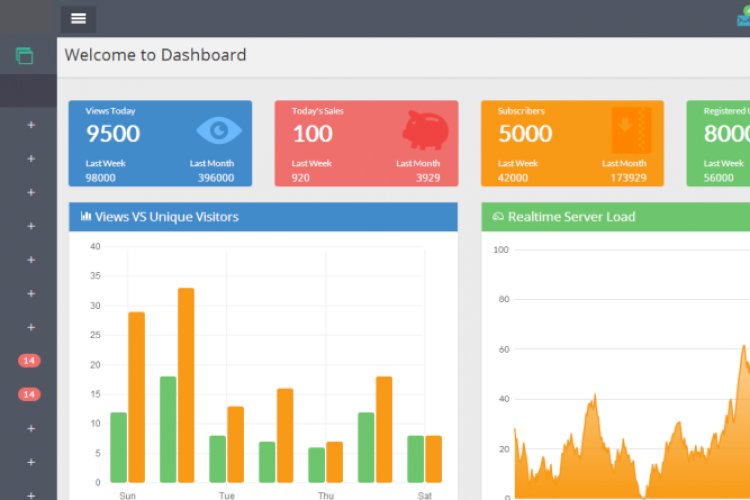
This is a Laravel starter kit: an admin panel plus front-end pages and ready-made CRUD, so you can begin a project with authentication, user management and a blog already working. Starter kits like this save days of boilerplate on every new build.
What it includes
- Authentication and authorisation (login, register)
- User and role management from the admin panel
- A blog module with comments (back end and front end)
- AJAX DataTables and many ready UI components
- Front-end pages with multiple colour schemes
Why start from a kit
Every app needs the same foundation — accounts, roles, CRUD, a dashboard. A starter kit gives you that immediately so your energy goes into the features that make your project unique. Studying how its auth and CRUD are wired is itself a great way to learn Laravel.
Setup overview
- Extract the source and create a database (e.g.
admin). - Import the SQL file from the database folder.
- Point a local PHP server at the project and open it in the browser.
What you’ll learn
Laravel authentication and authorisation, building CRUD, server-side DataTables, and structuring back-end and front-end in one app.
Frequently asked questions
Is a starter kit cheating?
No — production teams start from boilerplate all the time. The skill is understanding and extending it, not retyping it.
How do I add my own module?
Follow the pattern the blog module uses: model, controller, routes, Blade views, then a menu entry.
A note on using this project
Use this Laravel/PHP project as a learning reference: read the code, run it locally, and adapt it to your own requirements rather than deploying it unchanged. If you reuse third-party components, check their licences first.