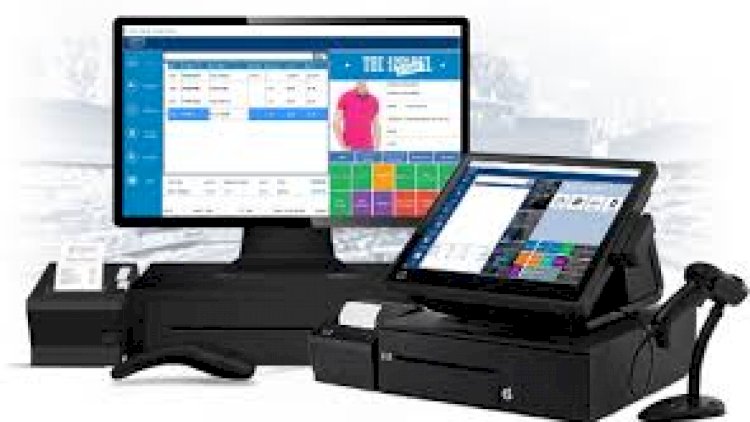
A Point of Sale (POS) management system runs the checkout for a shop: it scans products, records sales, manages customers and suppliers, and reports on the day’s takings — all while keeping stock accurate. This version adds barcode scanning and low-stock highlighting.
Features
- Barcode scanning during sales
- Add, edit and delete products, customers and suppliers
- Low-stock highlighting when a product falls below a threshold
- Daily, monthly and yearly reports
- Printable transactions
The key concept: transactions and stock
Every sale must record the sale, its line items, and reduce stock — all or nothing. Database transactions guarantee that, and a POS is the clearest example of why they exist. Low-stock highlighting then turns live stock data into a reorder prompt.
Technology stack
PHP with MySQL; barcode scanners act as keyboards, so no special drivers are needed. Bootstrap gives the cashier a clean, fast screen.
What you’ll learn
Atomic transactions, real-time stock accounting, barcode input handling, and time-aggregated sales reports.
Sketching the database
Six tables cover a working POS: products, customers, suppliers, users, sales and sale_items. The last two carry the real logic. A row in sales records who sold what and when; sale_items holds each line on the receipt, with the price captured at the moment of sale. Don’t look prices up later from the products table — they change, and yesterday’s receipt shouldn’t.
Running a project like this locally
No live server needed. Install XAMPP, then:
- Copy the project folder into
htdocs. - Create a database in phpMyAdmin and import the project’s
.sqlfile. - Edit the database connection file so the host, username and password match your setup.
- Start Apache and MySQL from the XAMPP control panel.
- Open
http://localhost/your-folder-namein a browser.
To test barcode scanning without hardware, click the barcode field and type a code manually — a scanner does exactly the same thing, just faster.
Who is this for
Students who need a capstone with visible real-world value, junior developers who want a concrete reason to learn database transactions, and anyone curious how a shop keeps its stock numbers honest. Retail never goes out of style, which is why POS projects keep showing up in final-year defences.
Frequently asked questions
Do barcode scanners need special code?
No — most behave like a keyboard that types the code and presses Enter into your product-lookup field.
How does low-stock highlighting work?
Compare each product’s quantity to a reorder threshold and flag the row when it drops below it.
What should the daily report show?
Total takings, the number of transactions, and the best-selling products — all computed from the sales and sale_items tables. If those two tables are modelled well, every report becomes a query.
A note on using this project
Use this PHP/MySQL project as a learning reference: read the code, run it locally, and adapt it to your own requirements rather than deploying it unchanged. If you reuse third-party components, check their licences first.
Related projects and guides
Working on this project? These related write-ups on the site are worth a look:
- Point of Sale (POS) Management System in PHP/MySQL With PDO Query
- Ingredients Stock Management System in PHP/OOP Free Source Code
- Capstone Project Ideas with Source Code (2026) — more PHP, Laravel and MySQL project ideas.