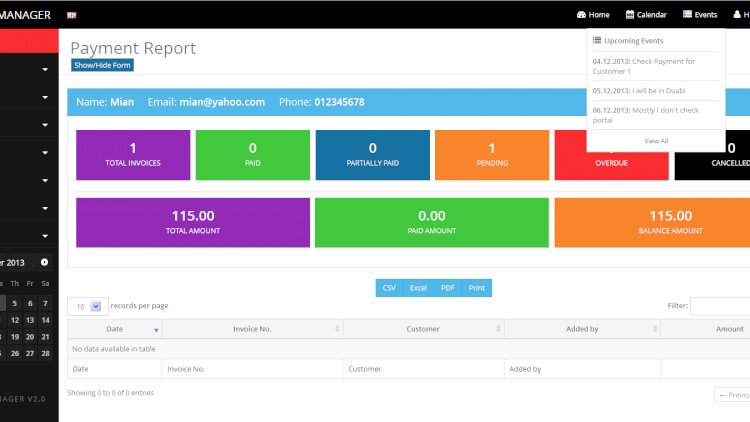
An invoicing system turns the everyday task of billing customers into a fast, repeatable workflow: create products and customers, generate invoices and quotes, record payments, and produce clean reports. It’s a compact but genuinely useful business app.
Core features
- Product and customer management
- Invoices, quotations and recurring invoices
- Payment recording with online options (e.g. PayPal, Skrill)
- A customer portal where clients view their own invoices and pay
- Multiple billing companies and customer ledgers
- Daily, monthly and custom sales reports
Why the client portal is the highlight
Most invoicing tutorials stop at the admin side. Adding a customer login — where each client sees only their own invoices, quotes and payments — teaches you data scoping and authorization, and turns a simple CRUD app into something businesses actually pay for.
Technology stack
PHP and MySQL with a Bootstrap front end and jQuery. PDF generation handles printable invoices, and a sandbox payment gateway covers online payments during testing.
What you’ll learn
Document generation (PDF invoices), recurring-billing logic, scoping data so customers see only their own records, and tax-compliant totals.
Frequently asked questions
What are recurring invoices?
Templates that automatically generate a fresh invoice on a schedule (say monthly) so you do not re-enter the same bill repeatedly.
Two user levels — why?
Admins manage everything; sales users typically create invoices and view reports but cannot change system settings.
A note on using this project
This guide is written to help students and developers understand how a PHP/MySQL application like this is designed and built. Treat any sample code as a learning reference: read it, run it locally, and adapt it to your own requirements rather than shipping it unchanged. If you reuse third-party components, check their licences first.
Related projects and guides
Working on this project? These related write-ups on the site are worth a look:
- Loan Management System
- Expense Tracking Management System
- Capstone Project Ideas with Source Code (2026) — more PHP, Laravel and MySQL project ideas.