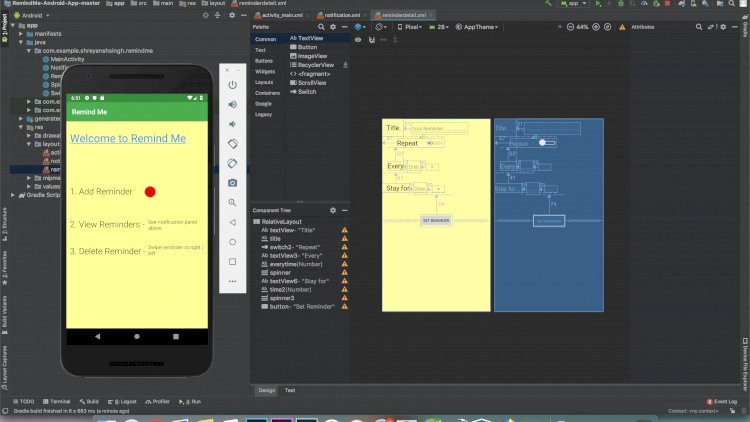
A task reminder app helps people remember what they need to do by sending timely alerts, so important items don’t get buried under everyday noise. It’s a small, practical project that teaches scheduling and notifications — skills you’ll reuse everywhere.
What it does
- Create tasks with a due date and time
- Send reminders before each task is due
- Mark tasks complete and track what’s outstanding
The core concept: scheduled notifications
The interesting challenge is firing a reminder at the right moment. A background job (a cron task) periodically checks for tasks whose reminder time has arrived and sends the alert — by email or push. Understanding that “check on a schedule, then notify” pattern is the heart of the project.
Technology stack
PHP and MySQL with a scheduled cron job to dispatch reminders. Add email or push delivery for the alerts.
What you’ll learn
Working with dates and times, running scheduled background jobs, and sending notifications reliably without sending duplicates.
Frequently asked questions
How are reminders actually sent on time?
A cron job runs at a fixed interval, finds tasks due for a reminder, sends them, and marks them sent so they are not repeated.
Email or push?
Start with email — it is simplest. Push notifications are a natural next step once the scheduling works.
A note on using this project
Use this PHP/MySQL project as a learning reference: read the code, run it locally, and adapt it to your own requirements rather than deploying it unchanged. If you reuse third-party components, check their licences first.
Who is this for
This project suits students who need a compact but non-trivial capstone or portfolio piece, self-taught developers who want their first hands-on experience with cron jobs and background processing, and anyone building toward bigger systems — booking platforms, billing systems, monitoring tools — where “do something at the right time, exactly once” is the core requirement. The scheduling pattern you practice here is the same one those systems rely on.
Ideas for extending the project
Once the basic remind-by-email flow works, there is plenty of room to grow it. Add recurring tasks (daily, weekly, monthly) so a reminder can re-arm itself after firing. Add priorities and categories so the task list can be filtered and sorted. Let users choose how far in advance they want the alert — ten minutes, an hour, a day. Add snooze, so a fired reminder can be pushed back instead of dismissed. Each of these forces a small, instructive schema change, which is exactly the kind of practice that makes the project worthwhile.
Related projects and guides
Working on this project? These related write-ups on the site are worth a look:
- Expense Tracking Management System
- Attendance Monitoring Management System Using PHP/MySQLi
- Capstone Project Ideas with Source Code (2026)