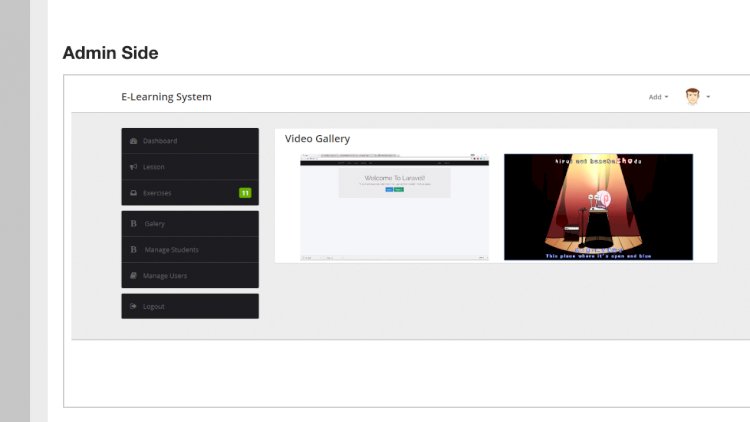
An e-learning system lets teachers publish lessons, share materials and set quizzes, while students enrol, study and take assessments online. It’s effectively a small Learning Management System (LMS), and building one teaches you content management, assessment logic and progress tracking.
What teachers can do
- Create courses and upload lessons (PDF or video)
- Attach activities to each lesson
- Build quizzes with automatic marking
- Publish results to students
What students can do
- Register and enrol in courses
- View lessons and download materials
- Take quizzes and see scores
- Track their progress
The core challenge: quizzes
The most instructive module is assessment: storing questions and options, presenting them, scoring submissions, and recording each attempt. Designing the question/option/attempt tables so the same quiz can be retaken and graded reliably is the heart of the project.
Technology stack
Typically PHP and MySQL with a Bootstrap front end, jQuery for interactivity, and file uploads for lesson materials. It’s fully responsive so learners can study on a phone.
What you’ll learn
Content/file management, quiz scoring, enrolment and progress tracking, and the data model behind any LMS — courses, lessons, activities and attempts.
Sketching the database
Eight tables carry the whole system: users, courses, lessons, enrolments, quizzes, questions, options and attempts. Enrolment is just a row linking a student to a course. The quiz tables deserve the most thought: a question belongs to a quiz, an option belongs to a question and knows whether it’s correct, and an attempt records what the student picked. Score by comparing picks against correct options — never by trusting anything sent from the browser.
Running a project like this locally
No live server needed. Install XAMPP, then:
- Copy the project folder into
htdocs. - Create a database in phpMyAdmin and import the project’s
.sqlfile. - Edit the database connection file so the host, username and password match your setup.
- Start Apache and MySQL from the XAMPP control panel.
- Open
http://localhost/your-folder-namein a browser.
Upload folders need write permission, so if lesson files fail to save on Linux, check the folder’s permissions first.
Who is this for
Students building a capstone with obvious real-world relevance, developers who want to understand assessment logic before touching a big LMS like Moodle, and tutors who’d like a small private course site. E-learning briefs are popular with project panels because everyone on the panel has used one.
Frequently asked questions
Could this grow into a paid-course platform?
Yes — add a payments step before enrolment and gate lesson access behind a successful purchase.
How are videos handled?
Either upload them and stream from your server, or store a link/embed code to an external host to save bandwidth.
How do I stop students seeing the answers?
Keep the correct-answer flags on the server and never send them to the quiz page. Score the attempt after submission, then show which answers were right.
A note on using this project
This guide is written to help students and developers understand how a PHP/MySQLi application like this is designed and built. Treat any sample code as a learning reference: read it, run it locally, and adapt it to your own requirements rather than shipping it unchanged. If you reuse third-party components, check their licences first.
Related projects and guides
Working on this project? These related write-ups on the site are worth a look:
- 7 Best Open-Source Learning Management Systems (LMS) in 2026
- Online Exam Android App with Admin Panel
- Capstone Project Ideas with Source Code (2026) — more PHP, Laravel and MySQL project ideas.