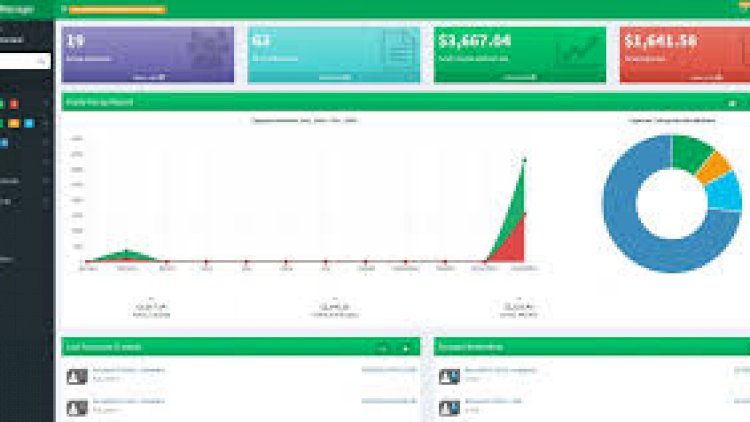
A Point of Sale (POS) system is the software a shop uses to ring up sales, take payment, print receipts and keep stock accurate in real time. Building one in PHP and MySQL is a fantastic way to learn transactional programming, because every sale has to update several tables consistently — or not at all.
What the system handles
- Cash, cheque and credit sales
- Receipt generation
- Stock deduction as items are sold
- Customer and supplier records and ledgers
Reports it can generate
- Individual, daily, weekly, monthly and yearly sales
- Inventory and stock-remaining reports
- Collectibles and supplier reports
- Per-customer ledgers
The key concept: transactions
When a cashier completes a sale, the app must insert the sale, insert each line item, and reduce stock for each product. If any step fails, none should be saved. That’s what database transactions (BEGIN / COMMIT / ROLLBACK) are for, and a POS is the clearest possible example of why they matter.
Technology stack
Plain PHP with MySQL is ideal here — it keeps the focus on the data logic. Add a little JavaScript for barcode entry and live totals, and Bootstrap for a clean cashier screen.
What you’ll learn
Atomic transactions, accurate stock accounting, receipt formatting, and how to design reports that aggregate the same sales data by day, week, month and year.
Frequently asked questions
How do I handle barcode scanners?
Most scanners act like a keyboard — they “type” the code and press Enter. Capture that into your product-lookup field and no special drivers are needed.
Can it support multiple cashiers?
Yes — add user accounts and stamp every sale with the cashier ID so each session and shift can be reconciled.
A note on using this project
This guide is written to help students and developers understand how a PHP/MySQL application like this is designed and built. Treat any sample code as a learning reference: read it, run it locally, and adapt it to your own requirements rather than shipping it unchanged. If you reuse third-party components, check their licences first.
Tech stack
This kind of POS is typically built with PHP and MySQL on the back end, with JavaScript and Bootstrap handling a responsive cashier interface in the browser.
What you need to build it
- PHP 7.x or newer with a local server like XAMPP, WAMP, or Laragon.
- MySQL or MariaDB for the database.
- A working grasp of SQL and database transactions (BEGIN / COMMIT / ROLLBACK), since every sale touches several tables at once.
Frequently asked questions
Why use database transactions in a POS?
Because one sale writes to several tables — the sale, each line item, and the stock count. Wrapping them in a transaction means either every change is saved or none is, so your stock and sales figures never drift out of sync.
What stack is best for a POS like this?
PHP and MySQL for the logic and data, with JavaScript and Bootstrap for the interface — the combination this guide is built around.
Is there a ready-to-run POS with full source code?
Yes — see the related projects below. They come with complete, downloadable source you can install and study.
Is this a good capstone topic?
Very — a POS forces you to handle transactions, stock, receipts, and reporting, which covers a lot of real-world programming in one project.
Related POS & inventory projects (with source code)
- POS & Inventory System for Grocery Store
- Free Simple Web-Based POS System with Inventory
- Sales and Inventory System for Grocery Store
- Inventory Management System
Related projects and guides
Working on this project? These related write-ups on the site are worth a look:
- Point Of Sales Management System With Inventory for Grocery Store
- Point of Sale Management System (POS) using PHP (2020)
- Capstone Project Ideas with Source Code (2026) — more PHP, Laravel and MySQL project ideas.